





Tags are used to label customers (“VIP customer”, “new customer”, etc.) or conversations (“customer retention”, “sales call”, etc.).
Why Are Tags Important?
Tags allow the agent to understand the nature of the customer’s inquiry.
These tags will appear later in reports and are essential for analysis and business decision-making.
Tags are also part of “teams assets”. To learn more about how the teams assets operate, click Understanding Teams Assets.
Creating a New Tag
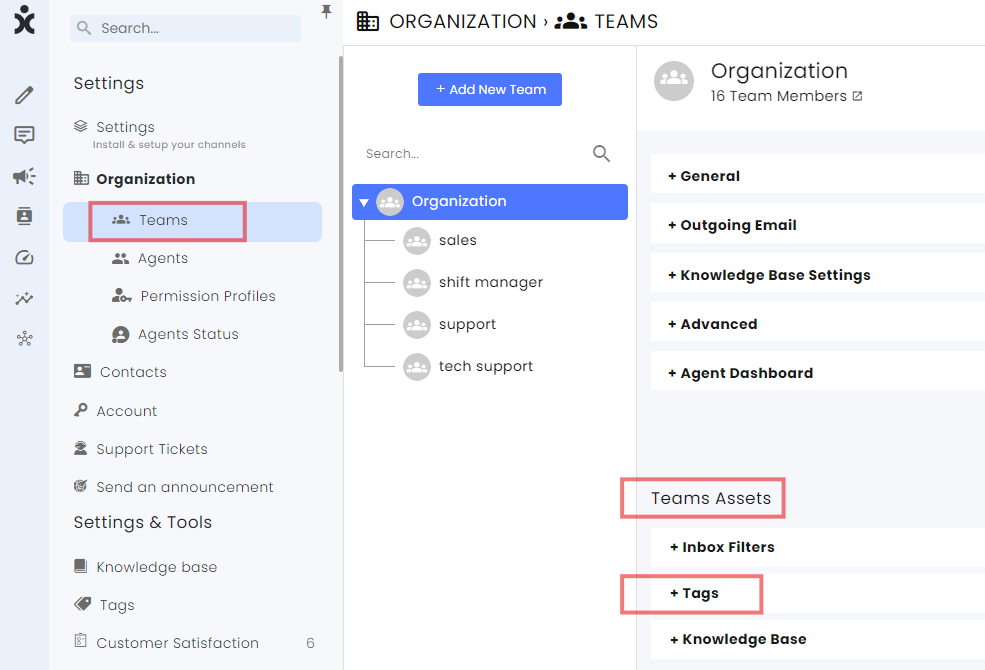
Navigate to Settings > Organization > Teams > Teams Assets > Tags:
The Tags window appear:
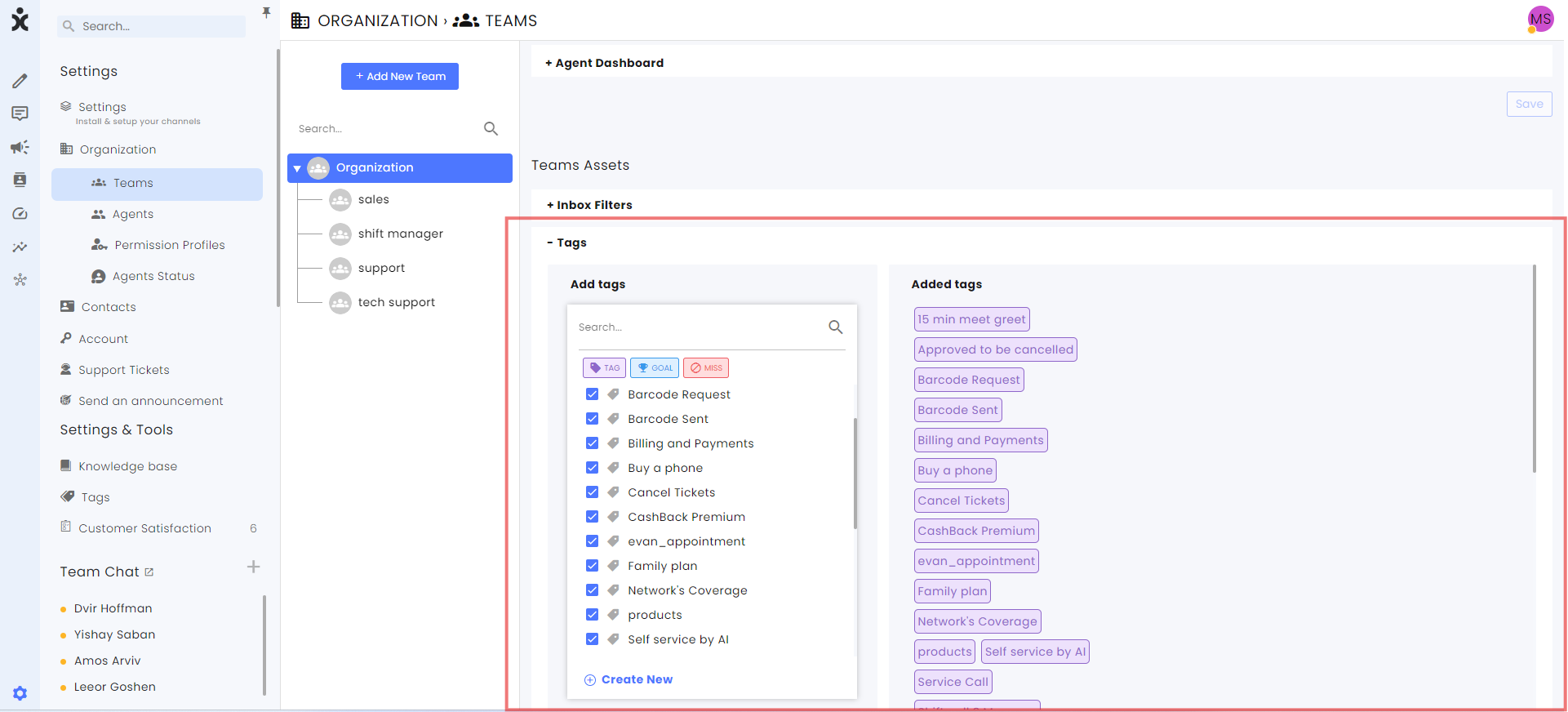
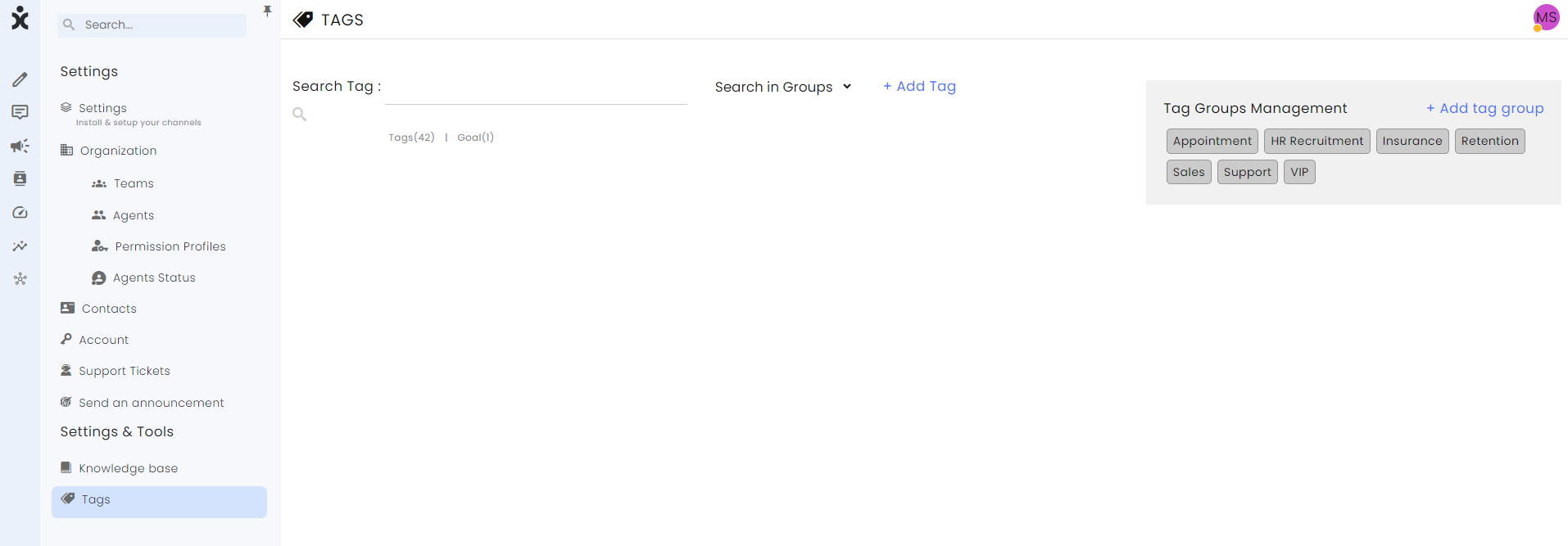
You can also add tags from Settings > Settings and Tools > Tags:
- To create tags for a specific team, click the desired team in the tree diagram.

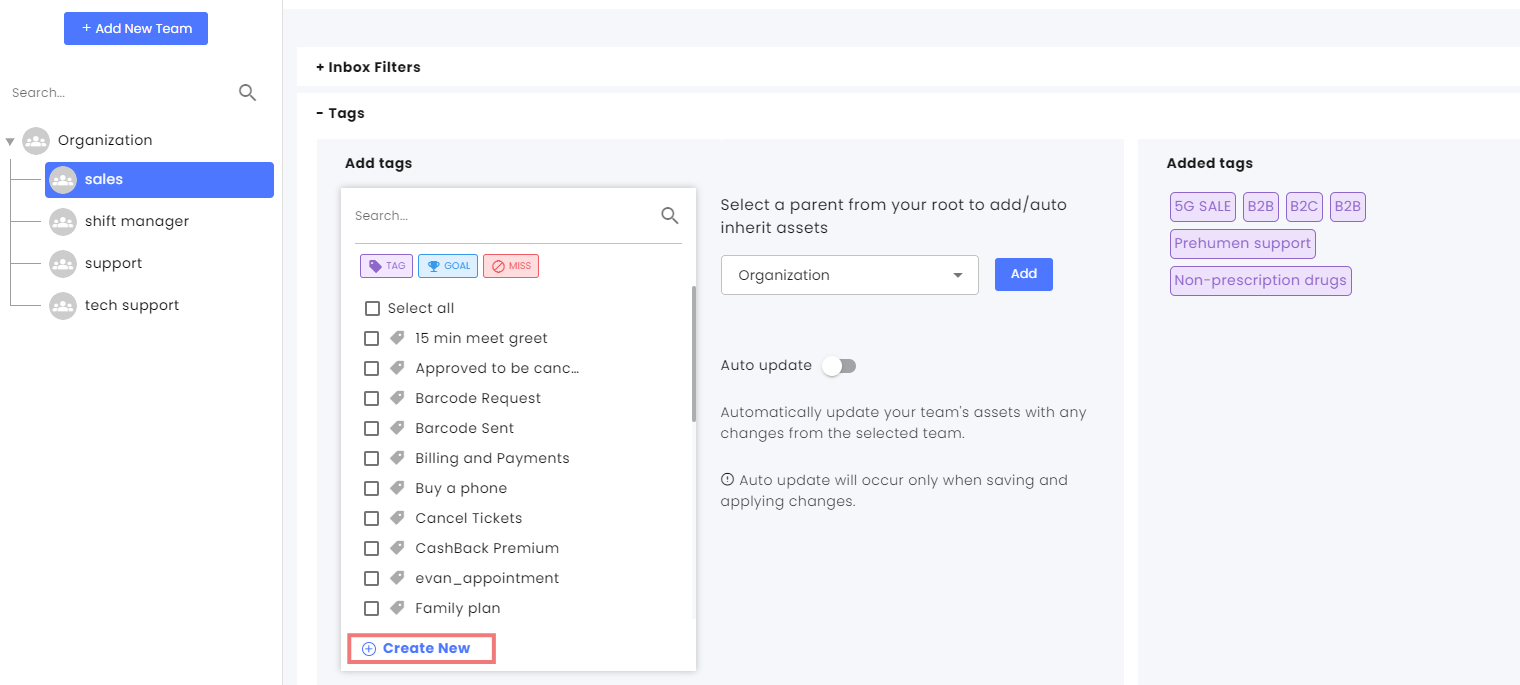
- Select the Tags tab and click Create new at the bottom of the list of available tags.
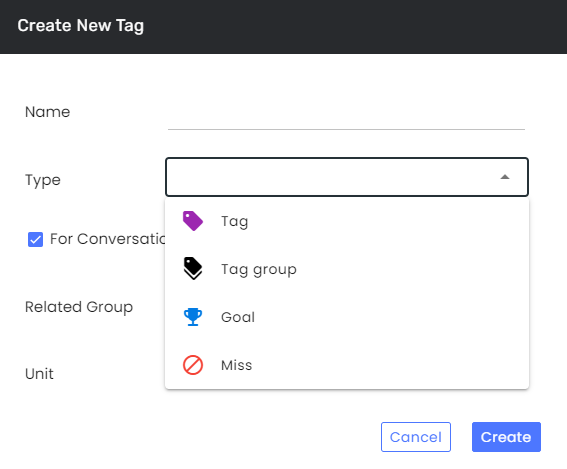
- At the new tag dialog box, choose a name for the tag and select one of the following:

a) Select the tag type. Selecting “Tag group” will create a new group of tags.
b) Select “Goal” to define tags that aim at Sales, creating leads or any other targeted task.
c) Select “Miss” to define tags that define dissatisfaction of a customer or a failed deal. - Click Create.