






Smart automation made simple — no coding, no AI knowledge required.
When teams first start using CommBox, one feature quickly becomes their favorite: Inbox Rules.
It’s the easiest way to insatly add automation to your customer conversations without touching a flow builder or knowing how AI agents work (though, in CommBox, those are simple as well).
Whether your business runs on WhatsApp, email, or social media, Inbox Rules keep conversations organized, responsive all and on brand, by letting admins and team leads define simple, powerful workflows.
What Are Inbox Rules? CX Automation for Agents
Inbox Rules are built for human-led conversations, not AI agents.
They allow admins and managers to set up lightweight automations directly in the inbox — no technical skills required.
Instead of building full AI flows, you can define a few simple parameters that save hours of manual work.
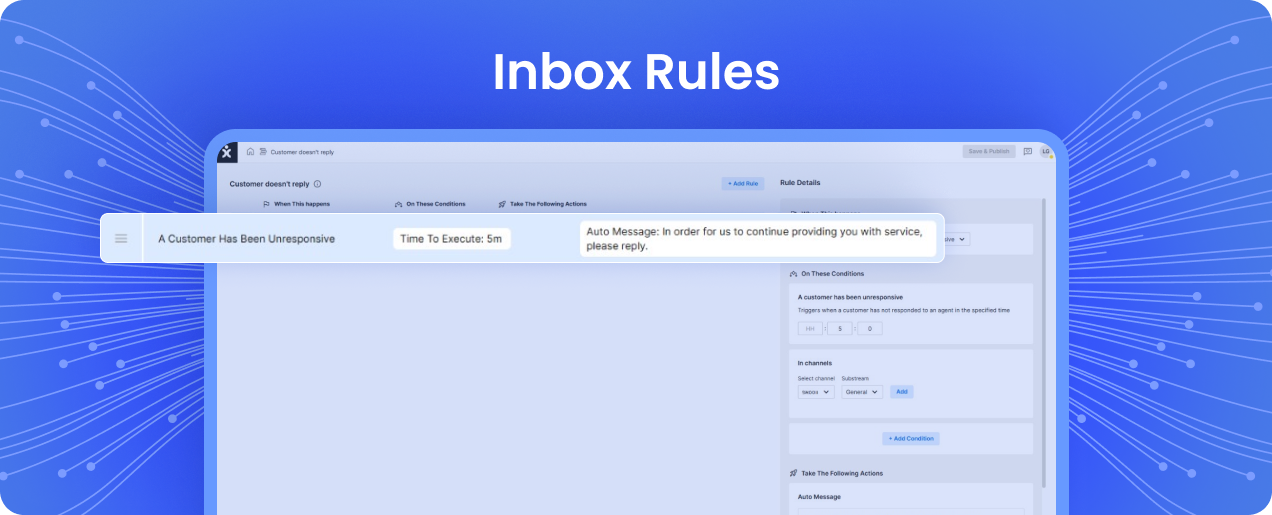
The process is as straightforward as it gets:
-
Set a Trigger – Choose what event starts the rule.
Common triggers include:-
A new conversation is created
-
A customer hasn’t replied for a defined period
-
A tag is added to the conversation
-
-
Define Conditions – Specify when and where the rule applies.
You can limit it to certain channels, keywords, or tags, so it only runs in the right context. -
Choose an Action – Tell CommBox what to do when the trigger and conditions are met.
Options include:-
Add or change a tag
-
Send an automated message
-
Change conversation status
-
Move the chat to another channel
-
This trigger-condition-action structure keeps the logic easy to follow and the setup easy to maintain.
Anyone can create rules, and they run seamlessly in the background — keeping your inbox smart and self-organizing.
The Most Common Automation Use Cases
Teams across industries use Inbox Rules to stay proactive and consistent. Here are some of the most common ways brands use Inbox Rules to save time and deliver faster responses:
-
When an agent doesn’t reply
Automatically send an apology message for the delay, keeping customers informed and engaged. -
When a customer goes silent:
Trigger a follow-up that nudges them to continue the conversation. If there’s no response after a set time, automatically close or mark the conversation as resolved. -
Keyword tagging and routing:
Detect words like “urgent,” “frustrated,” or “manager” and automatically assign the conversation to a high-priority subchannel or tag it for review by a supervisor.
Each rule helps teams act faster, prevent bottlenecks, and stay on top of service quality, while ensuring no issue slips through the cracks, and no customer ever feels ignored.

Big Results, Zero Complexity
Inbox Rules give CX leaders a easy way to instantly instill automation and control.
You can optimize workflows without needing AI knowledge, coding skills, or developer resources.
It’s the fastest way to turn best practices into live automations that improve speed and accuracy.
-
No technical setup: Admins can create and update rules in minutes.
-
Cross-channel flexibility: Works across WhatsApp, email, Facebook, Instagram, SMS, and more.
-
Human-first automation: Enhances responsiveness while preserving personal service.
- Data visibility: Automatically tags and organizes conversations for reporting and analytics.
For many new CommBox users, it’s the first feature they turn on — and the one they rely on daily as the foundation of their daily operations. It’s a simple feature that quietly drives major efficiency.
Why “Inbox Rules” Is the First Feature Every CommBox Customer Uses
Inbox Rules prove that automation doesn’t need to be complex to create impact.
They let CX teams move faster, stay organized, and maintain high-quality service—without relying on developers or AI specialists.
It’s the feature that gives every brand an instant productivity win and a foundation for scalable, consistent customer experience.